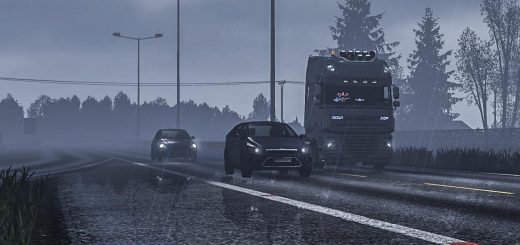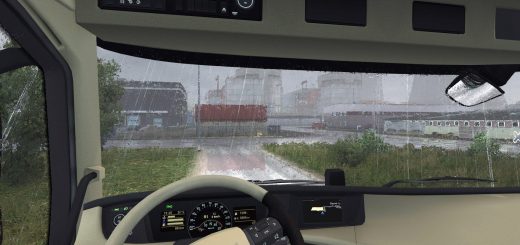


JBX GRAPHICS – COMPLETE PACKAGE BY JUANBONX 1.33.X MOD
JBX Graphics contains modifications for more realistic graphics and compatibility with many Games.
Cechy:
– Better Lighting
– Better Color
- Lepszy kontrast
- Ostrość i skupienie
- Lepsza temperatura barwowa
Package Content:
- Reshade
– SweetFX
– eFX
– JBX PPFilters
– JBX Settings
– JBX Weather 2
– JBX Weather 2 for Frosty
Dziennik zmian
v1.9.14 for Reshade: Adjustments and Improvements in DPX, LiftGammaGain and Tonemap.
– Less Contrast
– Less Brightness
– Better Color Saturation
- Lepsza temperatura barwowa
– Updated PDF installation guide for Reshade
- Zaktualizowano JBX-Settings-Shaders (folder)
- Zaktualizowano ReShade.ini
v1.9.8.C for SweetFX and eFX: Adjustments and Improvements in DPX, LiftGammaGain and Tonemap.
– Less Contrast
– Less Brightness
– Better Color Saturation
- Lepsza temperatura barwowa
– Updated PDF installation guide for SweetFX
– Updated SweetFX (Folder)
Uwaga: Before proceeding with the installation we must remove all the previous Reshade or SweetFX files.
Recommended Graphic Configuration
- Antyaliasing (MLAA): OFF (*)
- Wysoki zakres dynamiki: ON (*)
– Depth of Field (DOF): OFF
- Promienie słońca: ON (*)
– Color Correction: ON (*)
- Filtrowanie anizotropowe: Maksimum (*)
Recommended Configuration in Config.cfg
– uset r_gamma “1” (*)
– uset r_color_correction “1” (*)
– uset r_cloud_shadows “1”
– uset r_mlaa “0” (*)
– uset r_dof “0”
– uset g_bloom “0”
Ścieżka: \Documents\American Truck Simulator\config.cfg
Ścieżka: \Documents\Euro Truck Simulator 2\config.cfg
Note: Exit the game before modifying config.cfg
Polecam grę w najlepszej jakości graficznej + skalowanie 400% + Full HD
For better visual quality apply all the graphic settings I recommend. It affects the performance*
When you set the gamma setting to “1” you should not modify the brightness in the graphic options of the game.
The default value is 1.