FH classic v1.0
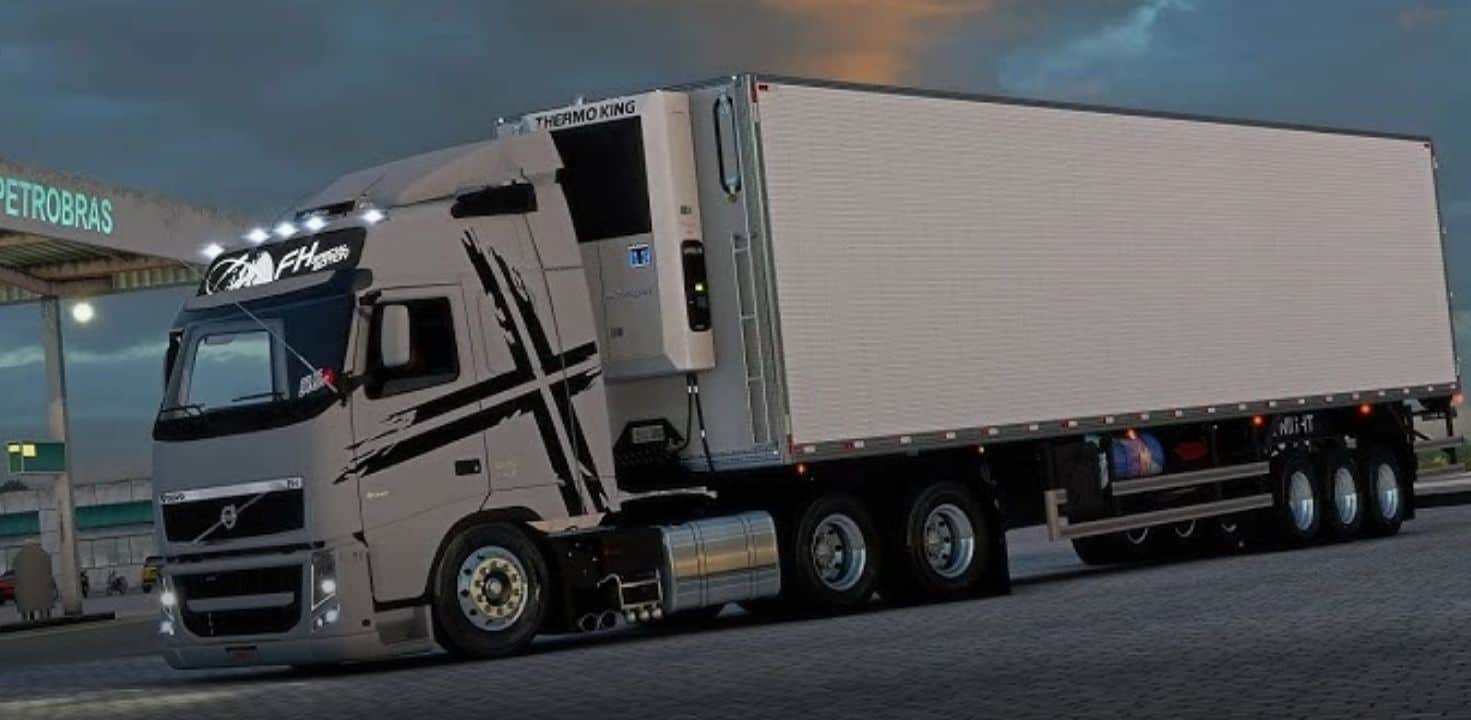
You’re asking about the FH Classic in Euro Truck Simulator 2 (ETS2)! This refers to a popular mod that brings the older generation of the Volvo FH (often called the FH1, FH12, or FH16 Classic, produced from 1993 to around 2012) into the game.
What is the FH Classic Mod?
The official ETS2 game primarily features the newer Volvo FH models. The FH Classic mod fills a gap for players who love the look and feel of the earlier, iconic Volvo FH trucks. These mods are typically community-made and offer a highly detailed and customizable version of the “old gen” FH.
Key Features You Can Expect
While features can vary between different creators and versions of the FH Classic mod, you’ll generally find:
Detailed Model: A meticulously crafted exterior and interior, aiming for a high level of realism, often with accurate textures and animations.
Ownable Truck: You can purchase this truck from a mod dealer in the game, allowing you to fully customize and add it to your fleet.
Extensive Customization: This is a big draw for truck mods. Expect a wide range of options, including:
Chassis Options: Various configurations like 4×2, 6×2, 6×4, and sometimes even 8×4.
Engine & Transmission Choices: A selection of engines with different power outputs and numerous gearbox options to match various driving styles and cargo weights.
Cabin Types: Different cabin heights and lengths (e.g., Globetrotter, XL, L2H1, L2H2).
External Accessories: A plethora of tuning parts like custom bumpers, grills, lights, spoilers, side skirts, mudguards, and various chrome or paintable parts.
Interior Customization: Options for different interior trim levels, custom steering wheels, additional gauges, and interior decorations.
Custom Sounds: Many high-quality FH Classic mods include realistic engine sounds, air brake sounds, and horn sounds that are sampled from the actual trucks, greatly enhancing immersion.
Skins/Paint Jobs: Support for custom paint jobs, sometimes including real-world company liveries or unique designs.
Why is it Popular?
The FH Classic holds a special place for many truck enthusiasts and ETS2 players due to its:
Nostalgia Factor: It’s a beloved truck from a bygone era for many.
Distinctive Look: It has a unique, robust, and classic design that stands out from modern trucks.
Versatility: In real life, it was a workhorse, and mods often reflect this by offering many chassis and engine options suitable for various hauling tasks.
Place in Mod Folder:
Go to your “Documents” folder.
Find the “Euro Truck Simulator 2” folder.
Inside, there should be a “mod” folder. If not, create it.
The path is typically: Documents\Euro Truck Simulator 2\mod.
Copy the downloaded .scs file(s) into this mod folder.
Activate in Game:
Launch Euro Truck Simulator 2.
On the profile selection screen, click on Mod Manager.
Find the “FH Classic” mod (or whatever its specific name appears as) in the left panel.
Double-click it or use the arrow to move it to the Active Mods list on the right.
Mod Order: Always check the mod’s download page for any specific load order instructions, as some mods need to be placed higher or lower in the list to work correctly.
Click Confirm Changes.
Load your game profile.
Purchase In-Game: Once your game loads, visit an in-game Truck Dealer (it might be listed as a “Mod Dealer” or simply the Volvo dealer, depending on the mod’s setup) to purchase and customize your new FH Classic.
Important Notes:
Compatibility: Always check if the mod is compatible with your current version of ETS2. Game updates often require modders to update their creations.
Conflicts: Running many mods can sometimes lead to conflicts or crashes. If you encounter issues, try disabling other mods to see if the problem persists.
Performance: Highly detailed mods can occasionally impact game performance, especially on less powerful PCs.
Do you have a favorite version of the FH Classic mod you’re looking for, or any other questions about getting it set up?