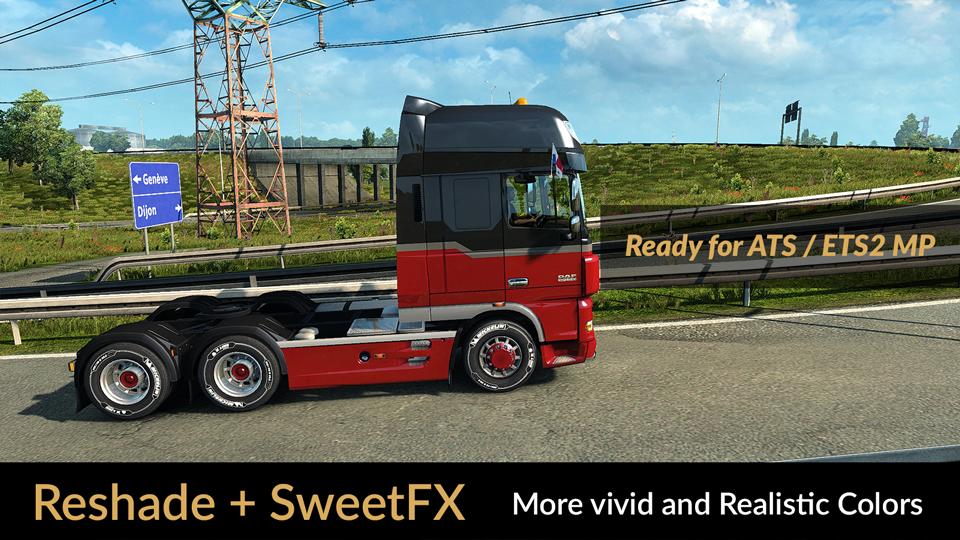
RESHADE ET SWEETFX : COULEURS PLUS VIVES ET PLUS RÉALISTES V1.9.3 MOD
Description : Le réglage personnalisé v1.9.3 offre de meilleures couleurs, un meilleur contraste et une température de couleur plus réaliste.
Il n'augmente pas la luminosité et l'éclat (Bloom), pour des graphiques plus réalistes, compatibles avec de nombreux jeux et modèles graphiques.
Recommandation : Évitez de modifier la luminosité et le contraste par défaut du moniteur *, jouez en Full HD (1920X1080) ou plus et utilisez la fonction
les paramètres graphiques que je recommande pour obtenir le meilleur résultat possible dans le jeu.
Preset v1.9.3 par JuanBonX
Caractéristiques :
- Couleurs vives
- Meilleur contraste
- Netteté et mise au point
- Température de couleur réaliste
Changelog : Ajustements et améliorations de DPX et FXAA. Couleurs plus réalistes.
Le fichier DPX.h (SweetFX 2.0) a été modifié pour contrôler la fonction de contraste. Remplacer le fichier existant par le fichier modifié. Important !!!
Chemin d'accès : SweetFX\Shaders\DPX.h
######
Installer Reshade 3.0.8 (Pour les débutants)
1.) Copiez les fichiers suivants dans le chemin du jeu :
reshade-shaders (Dossier)
d3d9.dll
d3d9.ini
Couleurs vives et réalistes Final v1.9.3.ini
2.) Lorsque la copie des fichiers est terminée, nous démarrons le jeu. L'installation est terminée !!!
****
Menu Reshade : Activer avec Maj + Suppr. La touche pour activer et désactiver Reshade est INSERT. Par défaut, elle est activée au démarrage du jeu.
Pour utiliser Reshade sur les systèmes 32 bits, utilisez le dossier d3d9.dll (x86 dll folder (Backup).
Important : Exécutez le jeu en tant qu'administrateur (autorisation permanente).
#####
Installer SweetFX 2.0 (Pour les débutants)
1.) Copiez les fichiers suivants dans le chemin du jeu :
SweetFX (Dossier)
d3d9.dll
ReShade.fx
Sweet.fx
2.) Lorsque la copie des fichiers est terminée, nous démarrons le jeu. L'installation est terminée !!!
****
La clé pour activer et désactiver SweetFX est INSERT. Par défaut, il est activé au démarrage du jeu.
Pour utiliser SweetFX sur les systèmes 32bit, utilisez le dossier d3d9.dll (x86 dll) (Backup).
Important : Exécutez le jeu en tant qu'administrateur (autorisation permanente).
#####
Compatibilité des jeux et des GPU :
Reshade v3.0.8 est pour la gamme GPU (moyenne et haute)
SweetFX v2.0 pour tout GPU
Je recommande Reshade v3.0.8 + preset v1.9.3 (FXAA ON) pour ATS/ETS2 et (FXAA OFF) pour la plupart des jeux.
****
Important : Il suffit d'utiliser un logiciel d'effets de post-traitement. Reshade 3.0.8 ou SweetFX 2.0.
#####
Ajustements nécessaires* dans le jeu
- Anti-crénelage (MLAA) : OFF (*)
- Gamme dynamique élevée : ON (*)
- Profondeur de champ (DOF) : OFF (*)
- Rayons de soleil : ON (*)
- Correction des couleurs : OFF (*)
- Filtrage anisotropique : Maximum (*)
Je recommande de jouer en ULTRA + 400% Scaling
****
Réglage du gamma (Config.cfg)
Chemin d'accès : \Documents\American Truck Simulator\config.cfg
Chemin d'accès : \Documents\Euro Truck Simulator 2\config.cfg
uset r_gamma "1" (Important)
#####
Note : Quittez le jeu avant de modifier le fichier config.cfg.
****
Désactiver FXAA pour les autres jeux (Important)
Compatible : Con la mayoría de los juegos - Avec la plupart des jeux