REALISTIC LIGHTING 2 JBX – PRESET V1.9.8 (RESHADE V 3.4.1) MOD
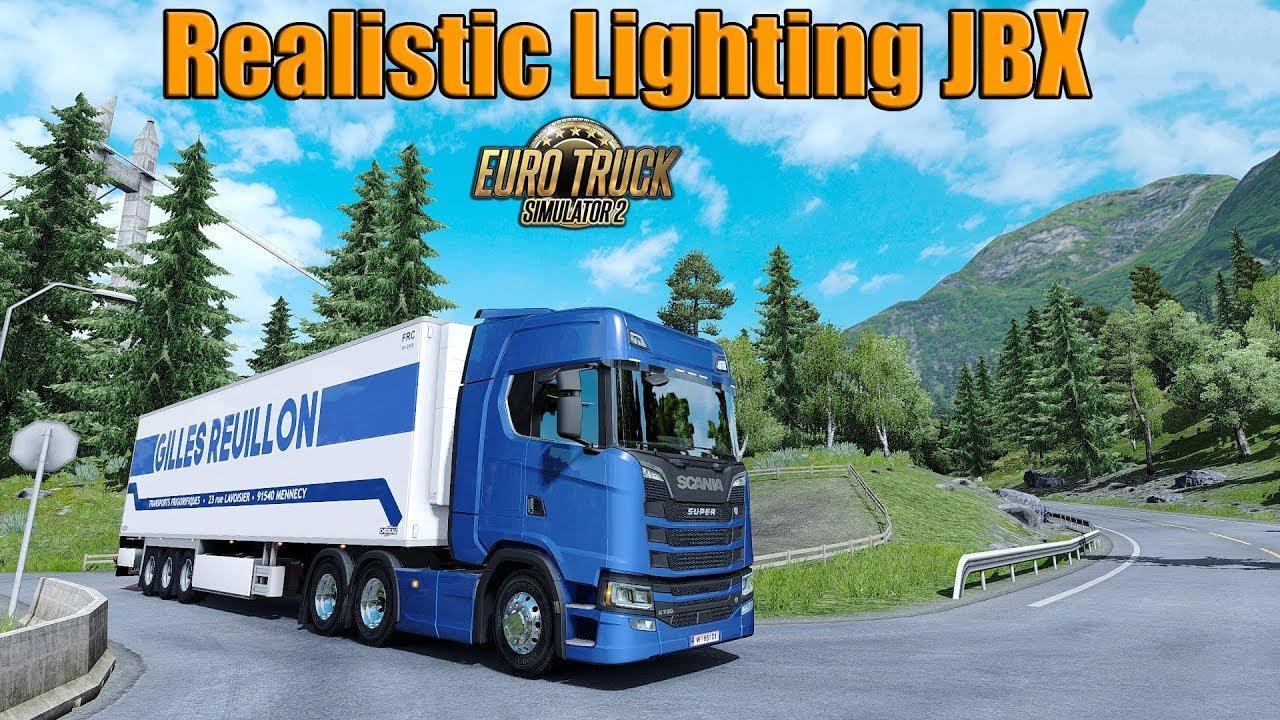
The custom setting v1.9.8 offers the best visual of the gaming environment for most games, without affecting the quality of lighting and colors. The excess of brightness, bad contrast and pure white is eliminated for more realistic graphics, compatibility with many Games and Mod Graphics.
Recommandation : Évitez de modifier la luminosité et le contraste par défaut de l'écran*, jouez en Full HD (1920X1080) ou plus et utilisez les paramètres graphiques que je recommande pour obtenir le meilleur résultat possible dans le jeu.
Supplémentaire : Désactivez les options graphiques des effets de post-traitement et tout autre réglage qui affecte la qualité de l'environnement, y compris le filtre anti-crénelage qui n'est pas recommandé. Les paramètres de luminosité ou de gamma doivent être par défaut dans les jeux. dans certains jeux, il faut les ajuster pour éviter un excès de luminosité.
ScreenShots: Mod SCS Proyect Next-Gen v1.3 + My preset v1.9.8 of Reshade v3.4.1
Preset v1.9.8 By JuanBonX
Caractéristiques :
– Better Lighting
– Better Color
– Better Contrast
– No Pure White
– Sharpness and Focus
– Better Color Temperature
Changelog :
Updated to version 3.4.1 of Reshade. Includes all the necessary files to play. No changes were made to the preset (.ini)
#####
Ajustements nécessaires* dans le jeu
– Anti-Aliasing (MLAA): OFF (*)
– High Dynamic Range: ON (*)
– Depth of Field (DOF): OFF (*)
– Rays of Sunshine: ON (*)
– Color Correction: ON (*)
– Anisotropic Filtering: Maximum
Je recommande de jouer dans la meilleure qualité graphique + 400% Scaling + Full HD
Pour une meilleure qualité visuelle, appliquez tous les paramètres graphiques que je recommande. Cela affecte les performances*
Necessary settings for my Preset v1.9.8 (Config.cfg)
uset r_gamma “1” (Important)
uset r_cloud_shadows “0” (Optional)
uset r_color_correction “1” (Important)
Path: DocumentsAmerican Truck Simulatorconfig.cfg
Path: DocumentsEuro Truck Simulator 2config.cfg
Remarque : Exit the game before modifying config.cfg
#####
Darkest nights with my preset v1.9.8 (Optional)
For Reshade v3.4.1
– Open the menu with (Shift + Delete).
– Change (Usage Mode) to configuration mode.
– In the tab (Home) deactivate the effect (Tonemap).
For greater darkness, leave the Tonemap effect activated and adjust the Gamma value to 1,100 or higher.
Important : At daytime, activate the effect again.
*****
For SweetFX v2.0
– Edit the file (SweetFX_settings.txt) with Notepad ++.
– Change the value from 1 to 0 to deactivate the effect (Tonemap).
– It can be edited with the game activated in full screen.
– Save the changes.
Example: #define USE_TONEMAP 0 //[0 or 1]
For greater darkness, leave the Tonemap effect activated and adjust the Gamma value to 1,100 or higher.
Important : At daytime, activate the effect again.
It is only necessary to deactivate the effect if the environment is very bright at night. It also affects if you use Mod Graphics with a lot of ambient light or brightness. I recommend leaving the effects of my Preset by default (All activated) for ATS/ETS2 and for the other games leave FXAA off or use the Preset with FXAA OFF.
This guide is not recommended for my preset. It is a request from a user. It affects the clarity of the environment.
#####
Remarque : The custom setting v1.9.8 is the same for all games. FXAA ON is for ATS/ETS2 and FXAA OFF for most games.
****
Désactiver FXAA pour les autres jeux (Important)
Compatible: Con la mayoría de los juegos – With most games