
REALISTIC LIGHTING 2 JBX – PRESET V1.9.8 (RESHADE V 3.4.1) MOD
The custom setting v1.9.8 offers the best visual of the gaming environment for most games, without affecting the quality of lighting and colors. The excess of brightness, bad contrast and pure white is eliminated for more realistic graphics, compatibility with many Games and Mod Graphics.
Recomendações: Evite modificar o brilho e o contraste padrão do monitor*, jogue em Full HD (1920X1080) ou superior e use as configurações gráficas que recomendo para obter o melhor resultado possível no jogo.
Adicional: Desative as opções gráficas de efeitos de pós-processamento e qualquer outro ajuste que afete a qualidade do ambiente, inclusive o filtro anti-aliasing não recomendado. As configurações de brilho ou gama devem ser padrão nos jogos. Em alguns jogos, é necessário ajustá-las para evitar o excesso de brilho.
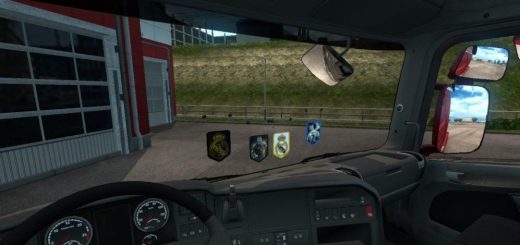
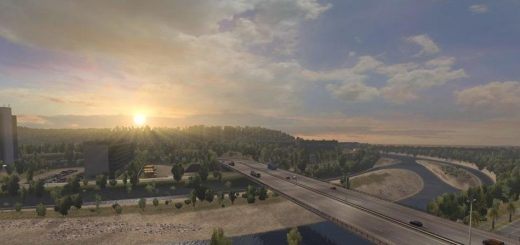
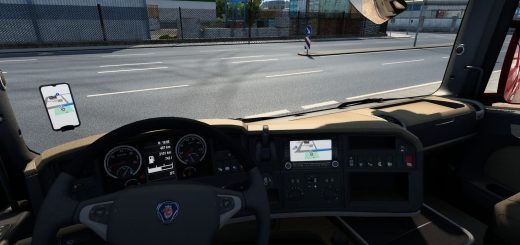
ScreenShots: Mod SCS Proyect Next-Gen v1.3 + My preset v1.9.8 of Reshade v3.4.1
Preset v1.9.8 By JuanBonX
Características:
- Melhor iluminação
- Melhor cor
- Melhor contraste
- Não Pure White
- Nitidez e foco
- Melhor temperatura de cor
Registro de alterações:
Updated to version 3.4.1 of Reshade. Includes all the necessary files to play. No changes were made to the preset (.ini)
#####
Ajustes necessários* no jogo
- Anti-Aliasing (MLAA): OFF (*)
- Alta faixa dinâmica: LIGADO (*)
- Profundidade de campo (DOF): DESLIGADO (*)
- Raios de sol: ON (*)
- Correção de cores: ON (*)
– Anisotropic Filtering: Maximum
Recomendo jogar com a melhor qualidade gráfica + escala 400% + Full HD
Para obter melhor qualidade visual, aplique todas as configurações gráficas recomendadas. Isso afeta o desempenho*
Necessary settings for my Preset v1.9.8 (Config.cfg)
uset r_gamma "1" (Importante)
uset r_cloud_shadows "0" (Opcional)
uset r_color_correction "1" (Importante)
Caminho: DocumentsAmerican Truck Simulatorconfig.cfg
Caminho: DocumentsEuro Truck Simulator 2config.cfg
Note: Exit the game before modifying config.cfg
#####
Darkest nights with my preset v1.9.8 (Optional)
For Reshade v3.4.1
– Open the menu with (Shift + Delete).
– Change (Usage Mode) to configuration mode.
– In the tab (Home) deactivate the effect (Tonemap).
For greater darkness, leave the Tonemap effect activated and adjust the Gamma value to 1,100 or higher.
Importante: At daytime, activate the effect again.
*****
For SweetFX v2.0
– Edit the file (SweetFX_settings.txt) with Notepad ++.
– Change the value from 1 to 0 to deactivate the effect (Tonemap).
– It can be edited with the game activated in full screen.
– Save the changes.
Example: #define USE_TONEMAP 0 //[0 or 1]
For greater darkness, leave the Tonemap effect activated and adjust the Gamma value to 1,100 or higher.
Importante: At daytime, activate the effect again.
It is only necessary to deactivate the effect if the environment is very bright at night. It also affects if you use Mod Graphics with a lot of ambient light or brightness. I recommend leaving the effects of my Preset by default (All activated) for ATS/ETS2 and for the other games leave FXAA off or use the Preset with FXAA OFF.
This guide is not recommended for my preset. It is a request from a user. It affects the clarity of the environment.
#####
Note: The custom setting v1.9.8 is the same for all games. FXAA ON is for ATS/ETS2 and FXAA OFF for most games.
****
Desativar o FXAA para outros jogos (importante)
Compatível: Con la mayoría de los juegos - Com a maioria dos jogos