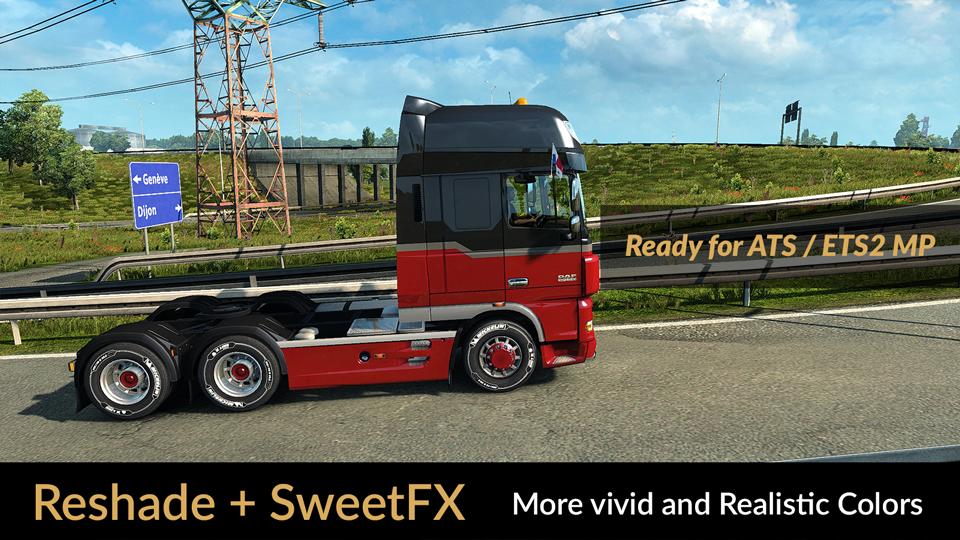
RESHADE AND SWEETFX: MORE VIVID AND REALISTIC COLORS V1.9.3 MOD
Description: The custom setting v1.9.3 offers better color, contrast, and more realistic color temperature.
It does not increase the brightness and glow (Bloom), for more realistic graphics, compatibility with many games and graphics Mod.
Recommendation: Avoid modifying the default brightness and contrast of the monitor *, play in Full HD (1920X1080) or higher and use the
graphics settings that I recommend to get the best possible result in the game.
Preset v1.9.3 By JuanBonX
Características:
– Vivid colors
– Better contrast
- Nitidez e foco
– Realistic Color Temperature
Registro de alterações: Adjustments and improvements in DPX and FXAA. More realistic color.
The file DPX.h (SweetFX 2.0) was modified to control the contrast function. Replace the existing file with the modified. Important!!!
Path: SweetFX\Shaders\DPX.h
######
Install Reshade 3.0.8 (For beginners)
1.) Copy the following files in the game path:
reshade-shaders (Folder)
d3d9.dll
d3d9.ini
Vivid and Realistic Colors Final v1.9.3.ini
2.) When finished copying the files we start the game. Installation finished!!!
****
Reshade menu: Activate with Shift + Delete. The key to activate and deactivate Reshade is INSERT. By default it is activated when the game is started.
To use Reshade on 32-bit systems, use d3d9.dll (x86 dll folder (Backup).
Important: Run the game as Administrator (Permanent Permit).
#####
Install SweetFX 2.0 (For beginners)
1.) Copy the following files in the game path:
SweetFX (Folder)
d3d9.dll
ReShade.fx
Sweet.fx
2.) When finished copying the files we start the game. Installation finished!!!
****
The key to activate and deactivate SweetFX is INSERT. By default it is activated when the game is started.
To use SweetFX on 32bit systems use the d3d9.dll (x86 dll folder (Backup).
Important: Run the game as Administrator (Permanent Permit).
#####
Compatibility in Games and GPU:
Reshade v3.0.8 is for GPU range (medium and high)
SweetFX v2.0 for any GPU
I recommend Reshade v3.0.8 + preset v1.9.3 (FXAA ON) for ATS/ETS2 and (FXAA OFF) for most games.
****
Importante: It is only necessary to use a post-processing effects package. Reshade 3.0.8 or SweetFX 2.0.
#####
Ajustes necessários* no jogo
– Anti-Aliasing (MLAA): OFF (*)
– High Dynamic Range: ON (*)
– Depth of Field (DOF): OFF (*)
– Rays of Sunshine: ON (*)
– Color Correction: OFF (*)
– Anisotropic Filtering: Maximum (*)
Recomendo jogar em escala ULTRA + 400%
****
Ajuste de gama (Config.cfg)
Path: \Documents\American Truck Simulator\config.cfg
Path: \Documents\Euro Truck Simulator 2\config.cfg
uset r_gamma “1” (Important)
#####
Observação: saia do jogo antes de modificar o config.cfg
****
Desativar o FXAA para outros jogos (importante)
Compatible: Con la mayoría de los juegos – With most games